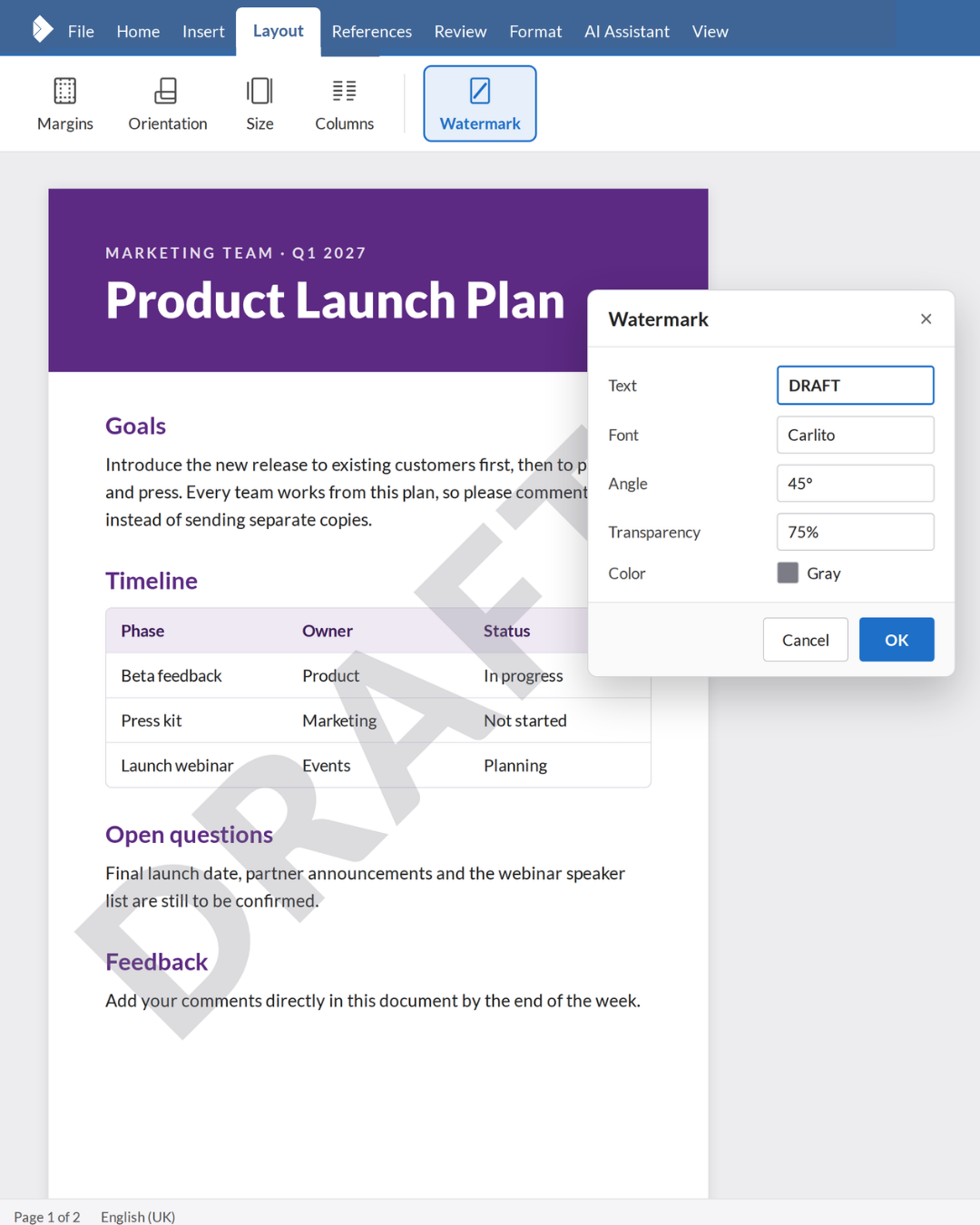
Small Writer feature that’s handy before you share a draft: watermarks. In #Coll...
Collabora Office @CollaboraOffice@mastodon.social
Small Writer feature that’s handy before you share a draft: watermarks.
In #CollaboraOnline Writer, you can add a text watermark like DRAFT or CONFIDENTIAL to the page background:
1. Go to Layout > Watermark.
2. Type your text.
3. Pick the font, angle, transparency, and colour, then click OK.
The watermark stays visible while editing, in print, and in PDF exports.
🔗 Try it in the demo: https://www.collaboraonline.com/demo/?mtm_campaign=demo&mtm_medium=social&mtm_source=mastodon&mtm_content=COOLDemo