Quick KDE Tip 💡 Have extra buttons on your mouse? KDE Plasma lets you assign th...
It's FOSS @itsfoss@mastodon.social
Quick KDE Tip 💡
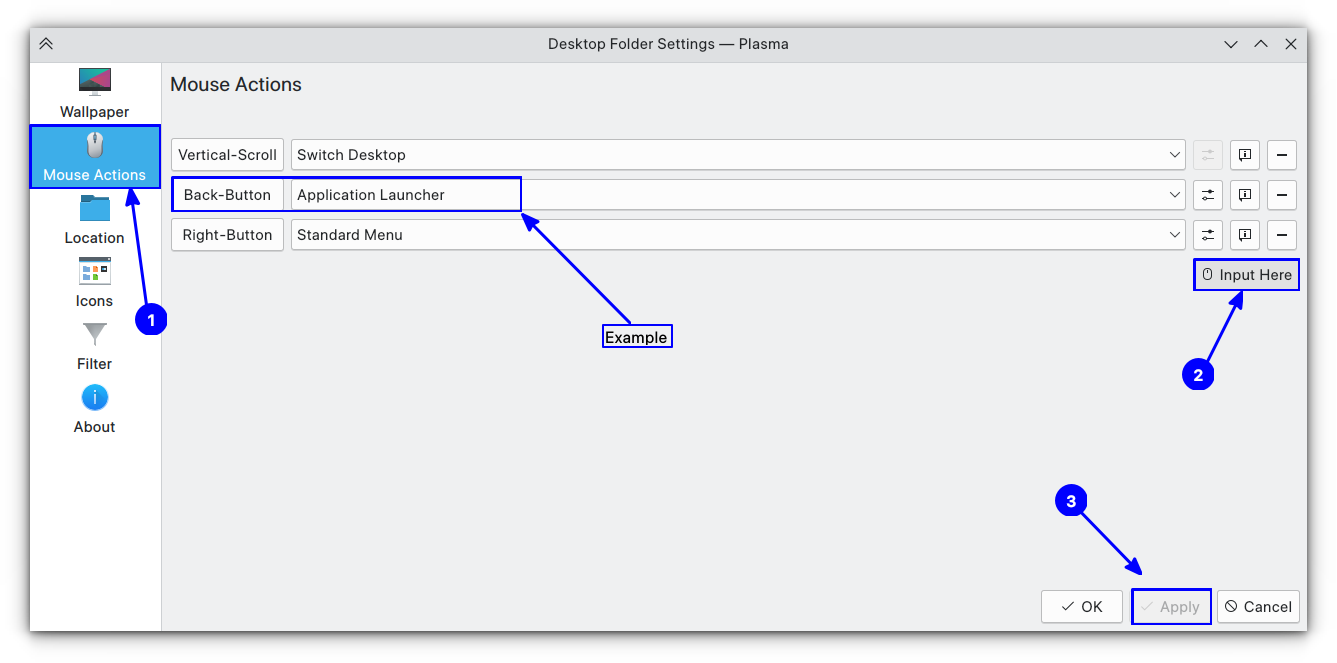
Have extra buttons on your mouse? KDE Plasma lets you assign them to desktop tasks such as opening the Application Launcher or switching desktops.
Right-click the desktop → “Configure Desktop and Wallpaper” → “Mouse Actions.” Select “Add Action,” click “Input Here,” press the mouse button, choose an action, and click “Apply.”