Quick KDE Tip 💡 Dolphin's toolbar can sit at the top, bottom, left, or right. R...
It's FOSS @itsfoss@mastodon.social
Quick KDE Tip 💡
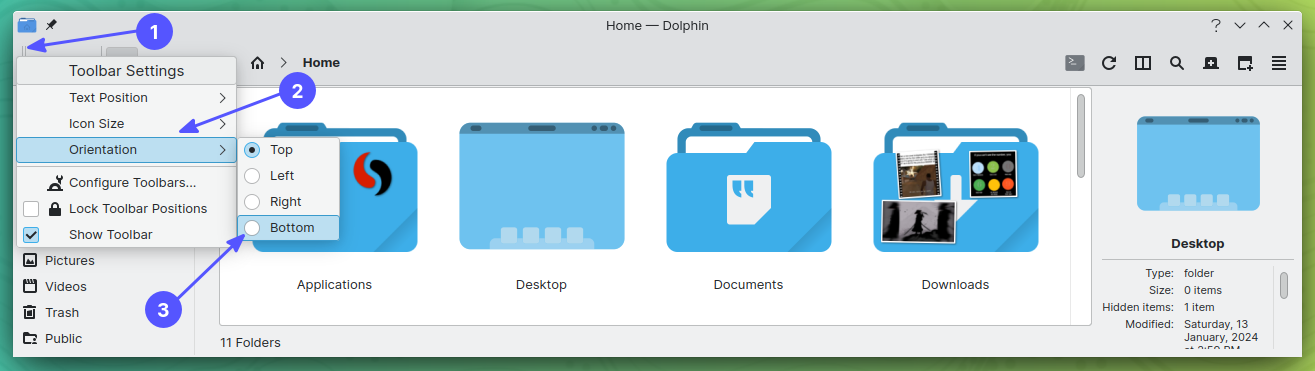
Dolphin's toolbar can sit at the top, bottom, left, or right.
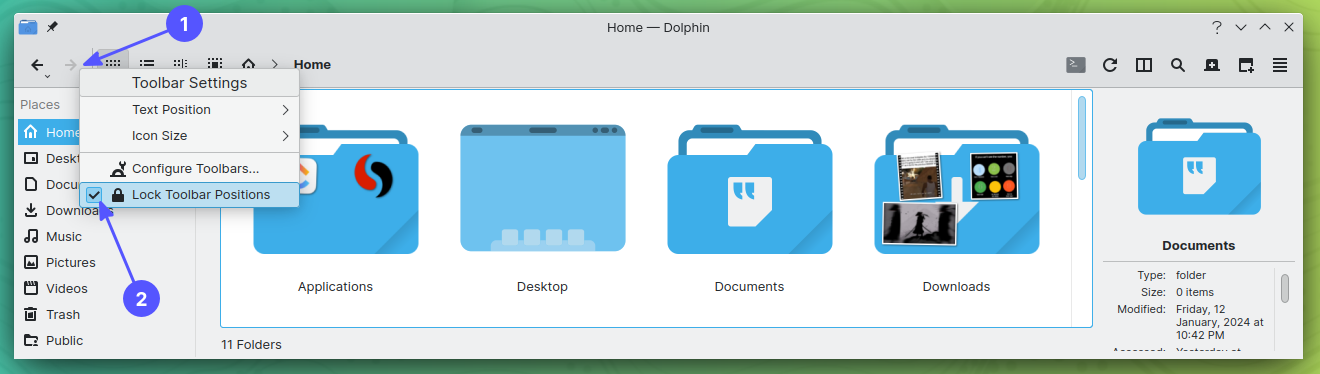
Right-click an empty toolbar area and uncheck “Lock Toolbar Positions.” Right-click the newly visible handle → “Orientation,” then choose a position. Re-enable “Lock Toolbar Positions” to keep it there.