Quick Firefox Tip 💡 Bookmark multiple tabs at once: 1. CTRL+Click the tabs you ...
It's FOSS @itsfoss@mastodon.social
Quick Firefox Tip 💡
Bookmark multiple tabs at once:
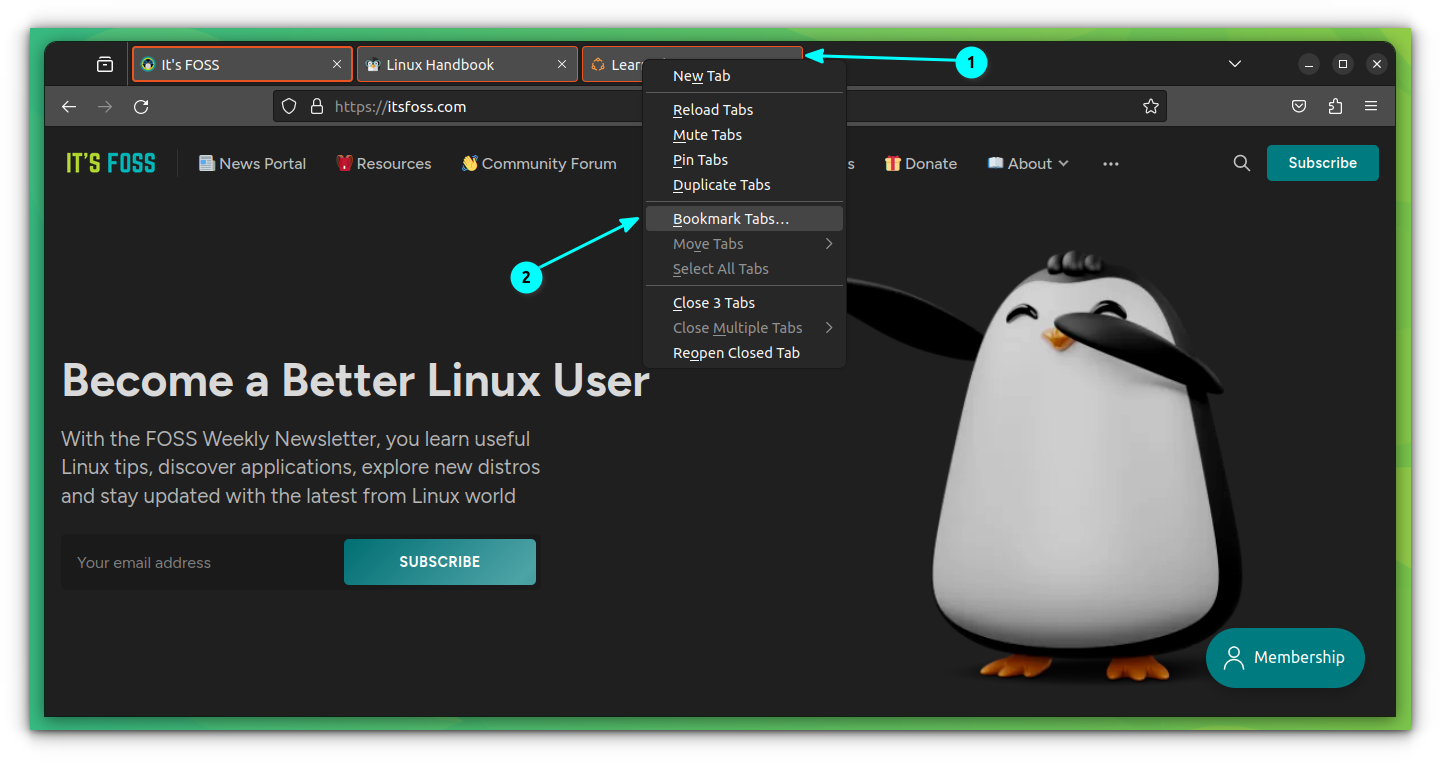
1. CTRL+Click the tabs you want to bookmark.
2. Right-click one of the selected tabs and choose “Bookmark Tabs”.
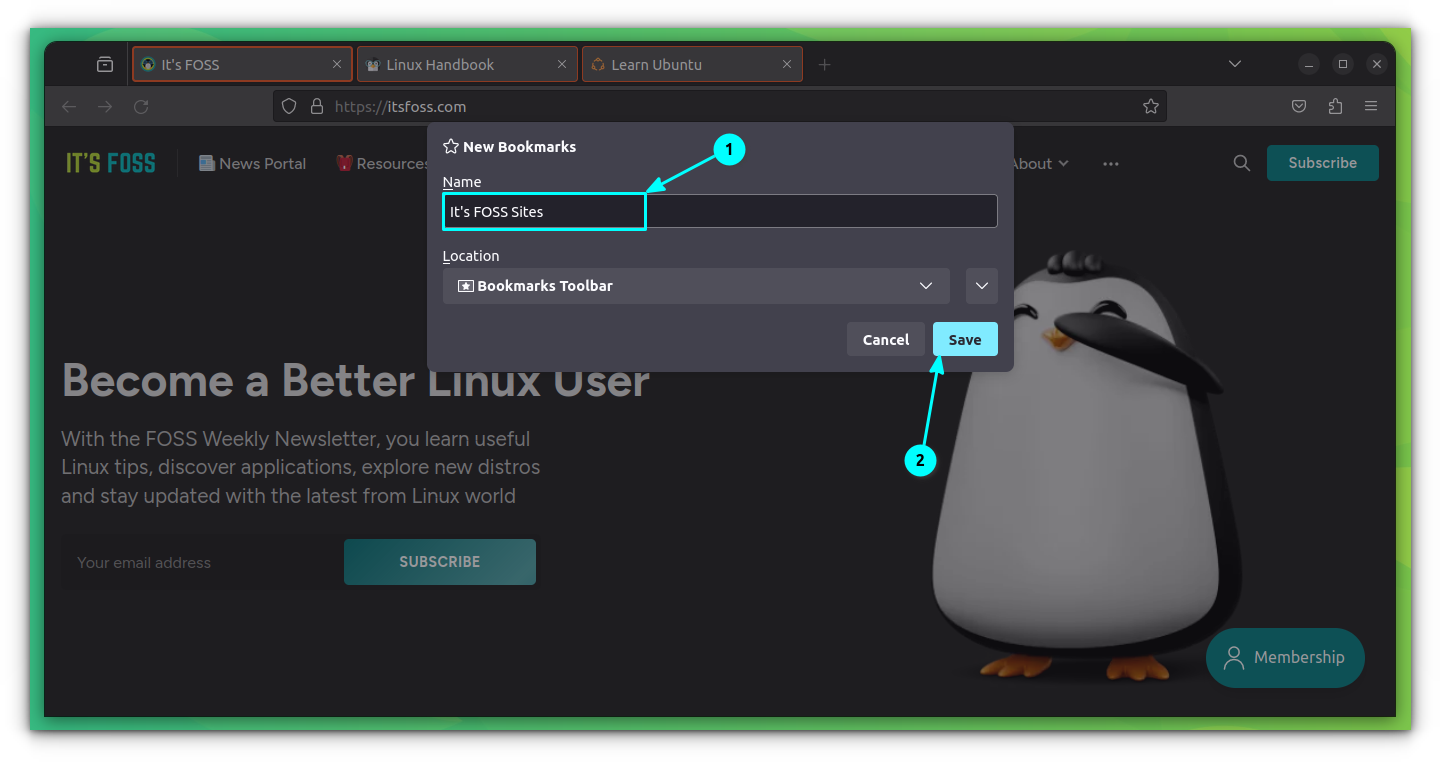
3. Name the bookmark folder, select a location, and press “Save”.