Want to keep Firefox updated but don’t like those new round tabs? Use 𝗮𝗯𝗼𝘂𝘁...
Paul Ducklin @pducklin@infosec.exchange
Want to keep Firefox updated but don’t like those new round tabs? Use 𝗮𝗯𝗼𝘂𝘁:𝗰𝗼𝗻𝗳𝗶𝗴 to turn them off…
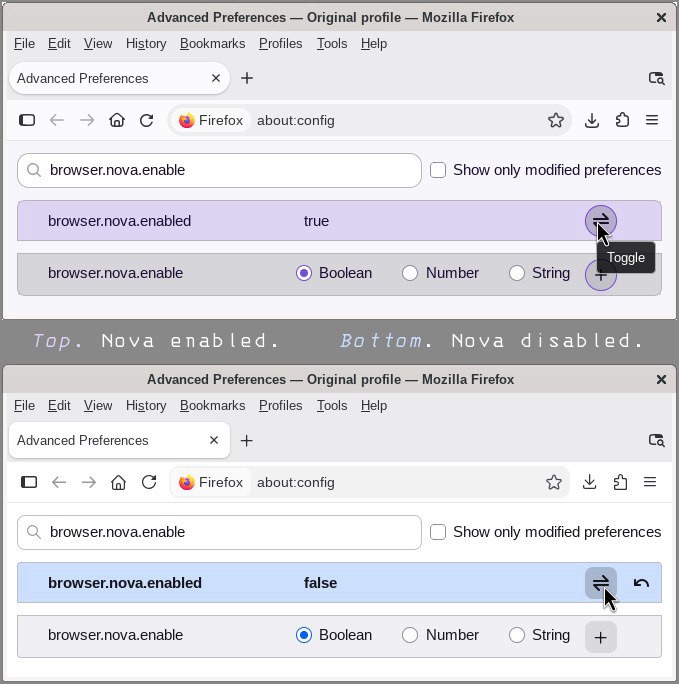
Put 𝗮𝗯𝗼𝘂𝘁:𝗰𝗼𝗻𝗳𝗶𝗴 in the address bar to access the built-in low-level setup options in Firefox.
Type 𝗯𝗿𝗼𝘄𝘀𝗲𝗿.𝗻𝗼𝘃𝗮.𝗲𝗻𝗮𝗯𝗹𝗲𝗱 into the search box that appears.
Click on the double-ended toggle arrow to turn off the new look, known as Nova (yes, it means “new things” in Latin).
The changes are visible immediately.
You’re welcome.