Did you update to iOS 27? Congratulations! You've now possibly have been re-enro...
Will Dormann @wdormann@infosec.exchange
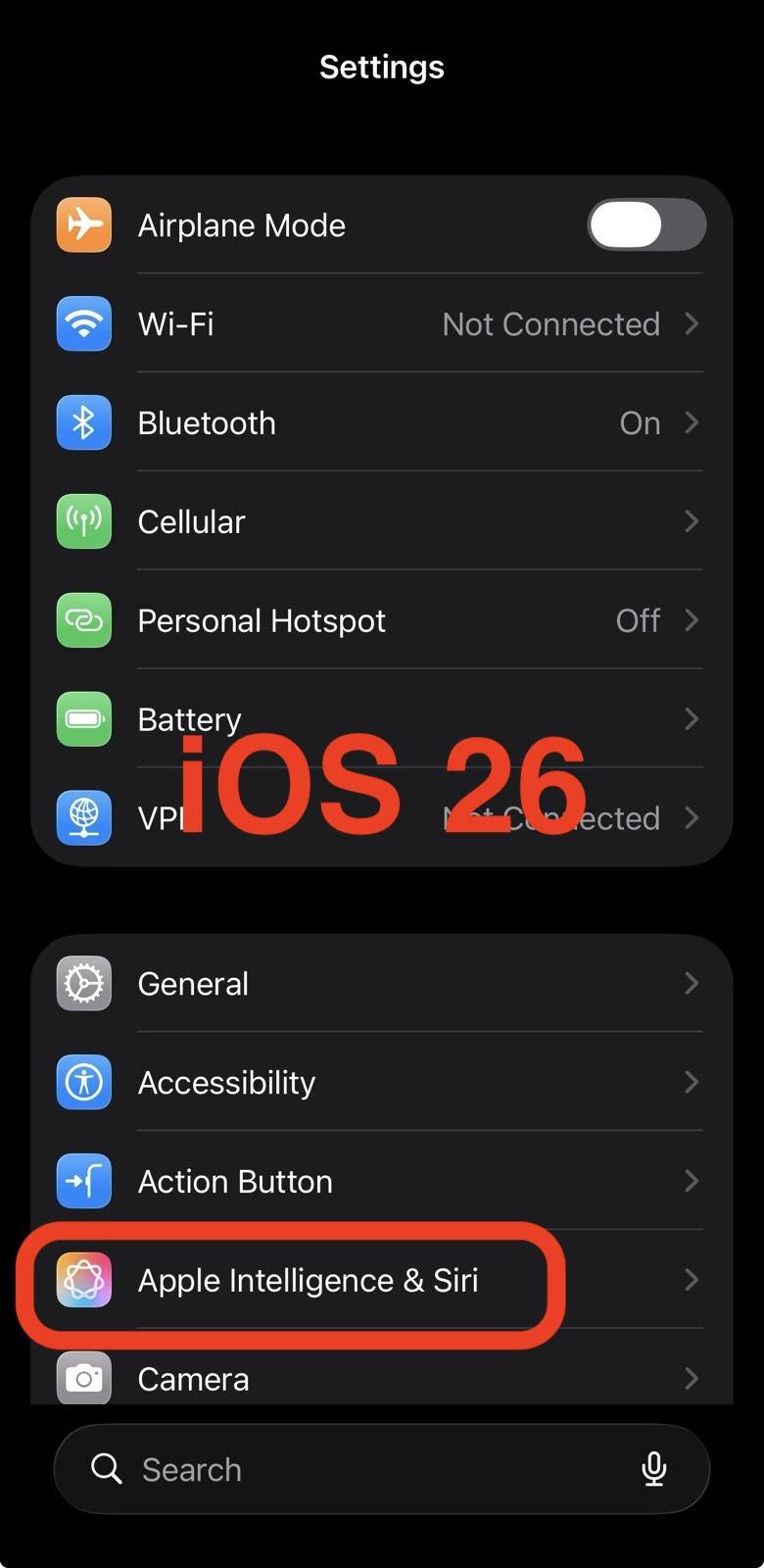
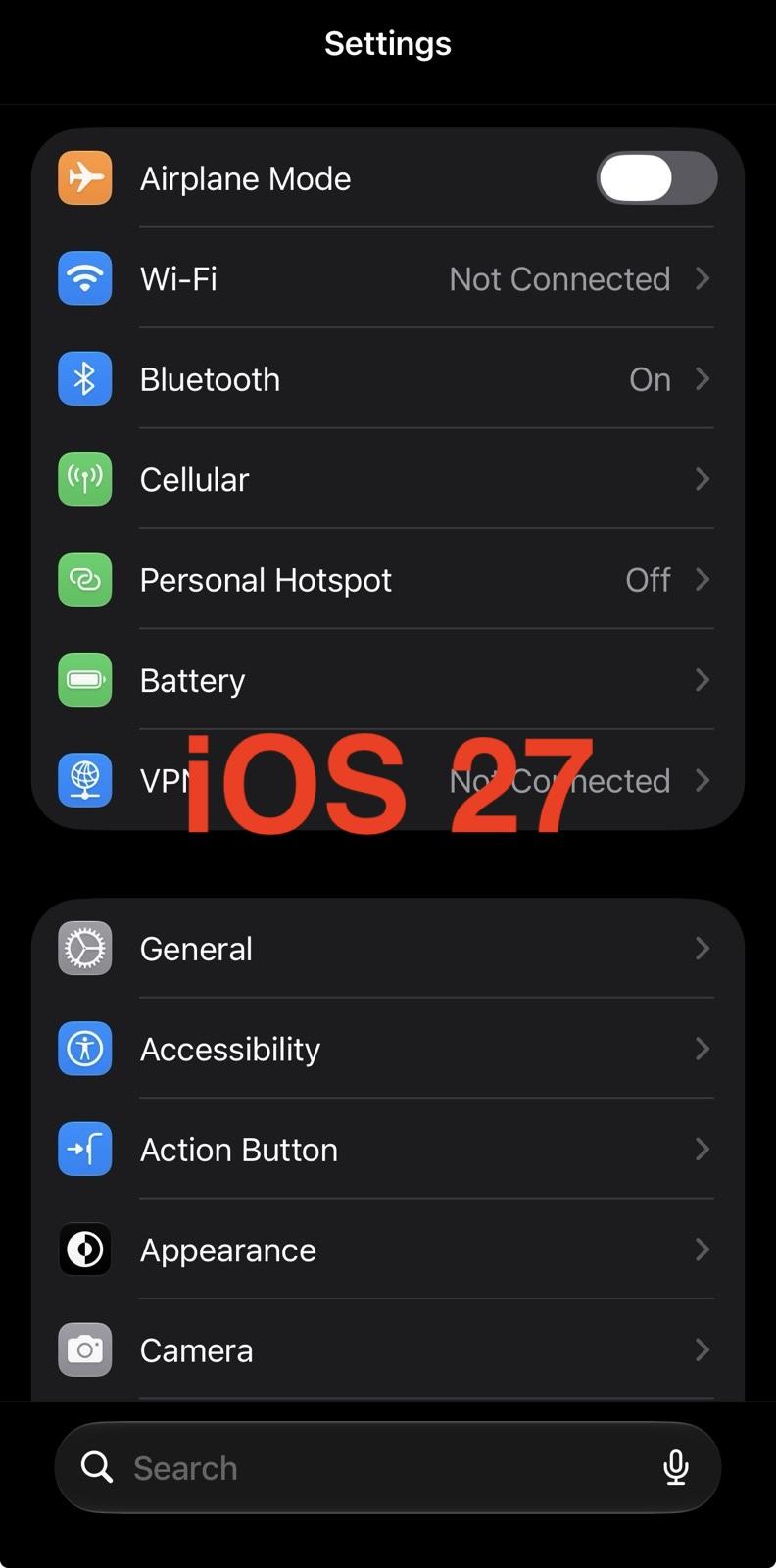
Did you update to iOS 27? Congratulations! You've now possibly have been re-enrolled in Apple Intelligence, because Apple knows better about what you want than you do.
- Starting with iOS 27, there is no top-level
Apple Intelligencesetting that you can turn off. - If you had
Apple Intelligencedisabled on iOS prior to 27, the features that use Apple Intelligence will be automatically re-enabled upon upgrading to 27. - If you do want to turn off an example Apple Intelligence thing in iOS 27, you can:
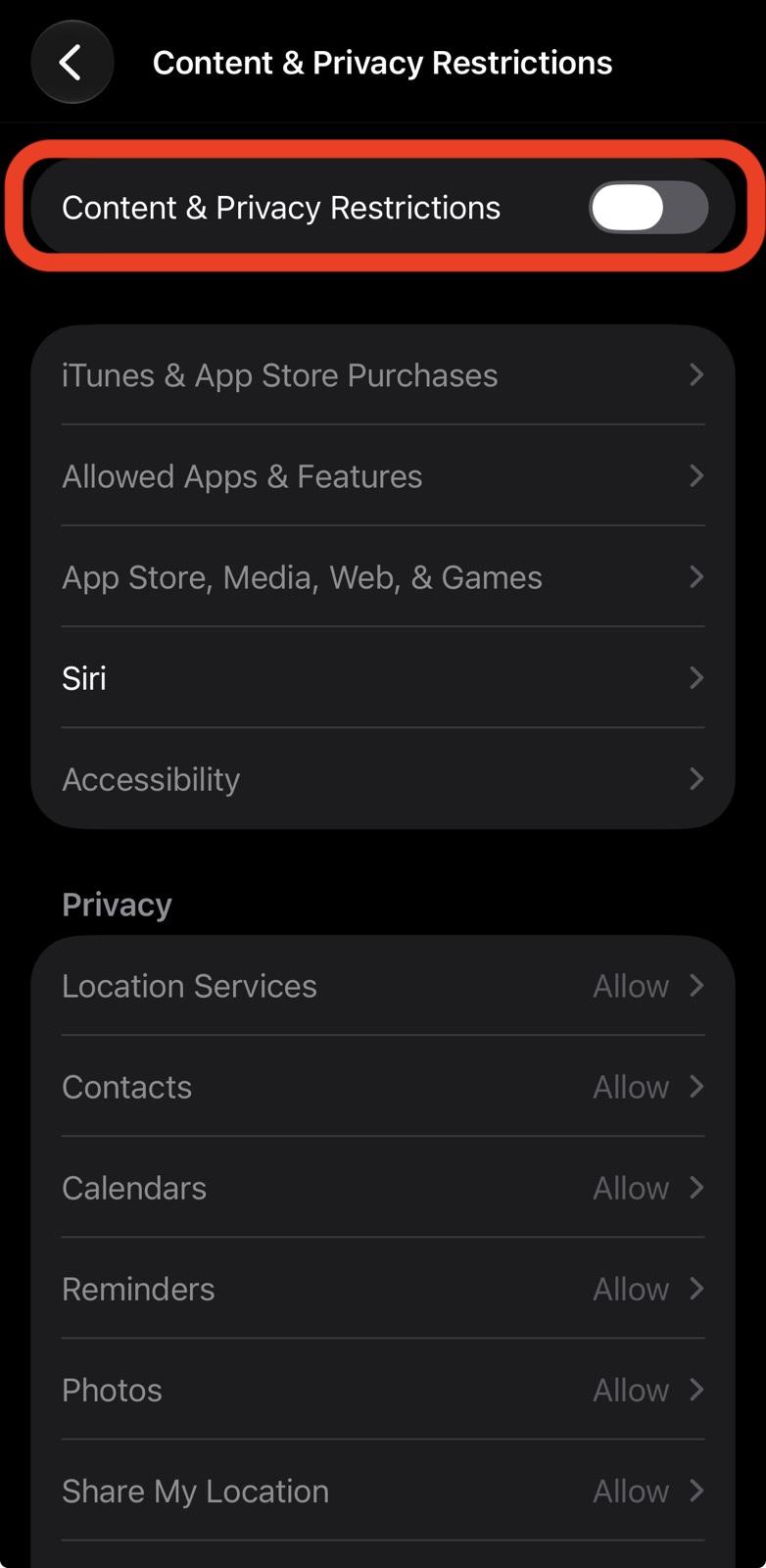
- Settings → Screen Time
- Content & Privacy Restrictions → turn it on (It's off by default)
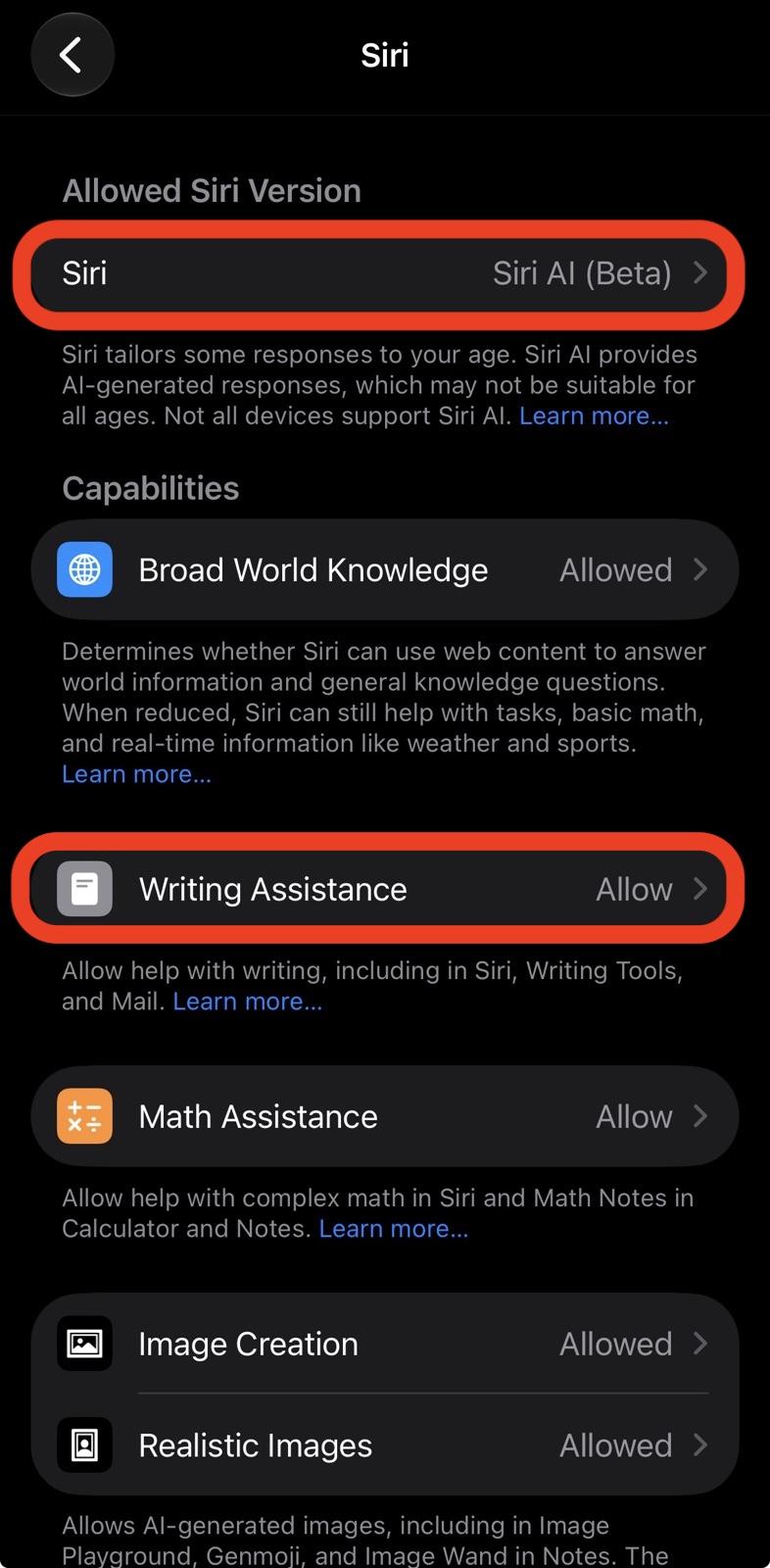
- Siri → Writing Assistance → Don’t Allow
Confusingly, on this same settings page, you can select Siri Classic, as opposed to the default-in-27 Siri AI (Beta). However, after making this change, none of the settings below it change at all. So is Siri AI (Beta) with Writing Assistance (and all other settings there) set to Don't Allow less AI-ish than Siri Classic with the default associated settings of Allowed? I have no idea.
Are there any Apple Intelligence settings outside of the Content & Privacy Restrictions settings for Siri? I also have no idea.
You will embrace your AI overlords and you will like it.