In today's episode of Will hates computers and vice-versa: Because Microsoft rec...
Will Dormann @wdormann@infosec.exchange
In today's episode of Will hates computers and vice-versa:
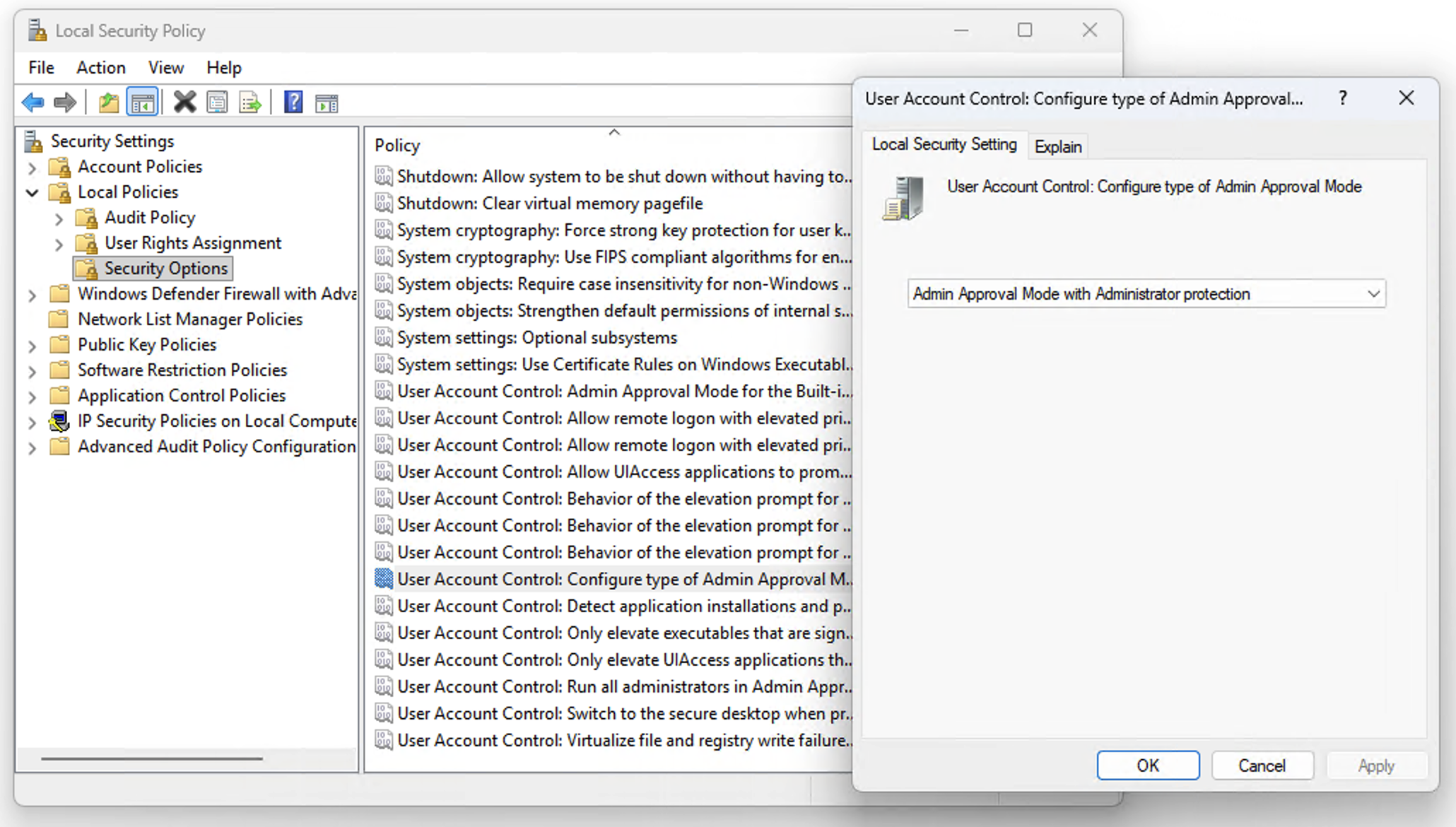
Because Microsoft recognized that pretty much everybody logs into Windows as an admin user, they created a new feature called Administrator protection, which adds extra protections for those who use their computer in such a YOLO manner.
While this feature is reportedly "off by default", my Windows workstation picked up the setting automatically recently. (I definitely didn't turn it on).
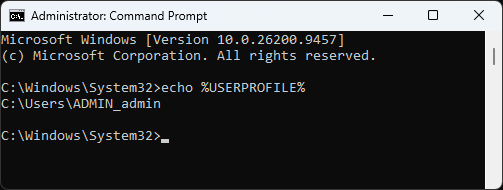
The consequence of this feature being enabled on systems where you don't log in as an admin user is that an elevated process running as this admin user will have a different %USERPROFILE% value than expected. e.g. if I have an admin user called admin, this elevated process will use C:\Users\ADMIN_admin instead of C:\Users\admin as usual.
If this isn't your first time using Windows, you probably have apps that store things in the admin user's home directory. The real-world consequence of Administrator Protection suddenly being enabled is that any app that's looking for a file in the admin user's home directory will no longer find it. The profile directory that's prefixed with ADMIN_ starts as a clean slate with basically nothing in it.
For as terrified Microsoft is in doing anything that may cause more support calls, it blows my mind that they'd just unilaterally and silently roll out this feature.
I guess this is also further evidence that I'm perhaps one of the only weirdos who doesn't log into Windows as an admin user.